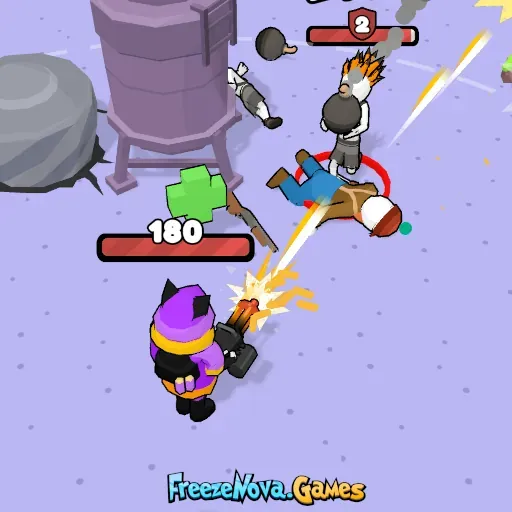
Squad Shooter
by Community
Ultimate Flash Sonic

Stealing The Diamond

Drift Boss
Gun Spin
Super Liquid Soccer
Rainbow Friends Return
Bit Planes
Jacksmith
Deadly Descent

Fancy Pants Adventures World 3

Electric Man 2
Idle Ants
Choppy Orc

Golf Orbit
Stickman Gta City
Stickman Parkour

Papa Louie 2 When Burgers Attack
Raft Wars 2
COD Zombies Portable
Breaking The Bank
Snowball.io

Celeste Classic
Blumgi Rocket
Froppy.io
Getaway Shootout
Drift Hunters Pro

Just One Boss

Five Nights At Freddys 5
Superfighters
Bloonstd 3
Bob the Robber

Happy Wheels
Browse by Category
You Might Also Like



About Squad Shooter
Team deathmatch & capture the flagMultiple maps and combat zones5-weapon loadout systemSolo and squad play modes
How to Play Squad Shooter
Controls
Frequently Asked Questions
What game modes are available in Squad Shooter?
Squad Shooter features three main game modes: team deathmatch, capture the flag, and survival challenges. Each mode offers a different style of play, whether you prefer competitive team battles, objective-based missions, or holding out against waves of enemies.
How do you switch weapons in Squad Shooter?
You can switch between weapons using the number keys 1 through 5 on your keyboard. This lets you quickly swap to the right weapon for any combat situation without interrupting the action.
What are the best strategies for winning in Squad Shooter?
Squad Shooter rewards both quick reflexes and smart teamwork, so communicating and coordinating with your squad gives you a major advantage. Use Shift to sprint between cover, keep your weapons reloaded with R before pushing into fights, and choose your loadout to complement your teammates' weapons.
How can I play Squad Shooter for free?
You can play Squad Shooter for free right here on GlorpMath. No downloads, sign-ups, or payments required. Just click play and start having fun instantly!
Does Squad Shooter work on school Chromebooks?
Yes! Squad Shooter runs directly in your browser and works great on Chromebooks, laptops, tablets, and phones. No installation needed.
Is Squad Shooter unblocked?
GlorpMath hosts Squad Shooter directly on our servers, making it accessible from most school and work networks. Just visit GlorpMath and start playing!